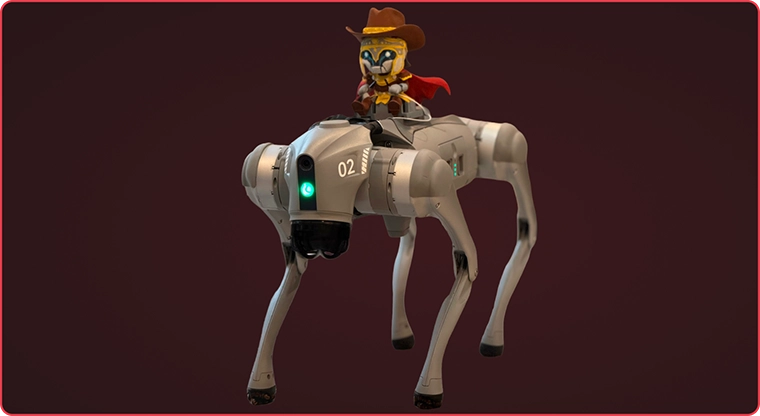
Praetorian is announcing a new jailbreak for the Unitree Go2 dog. See the Fido Fidelis section for technical details.
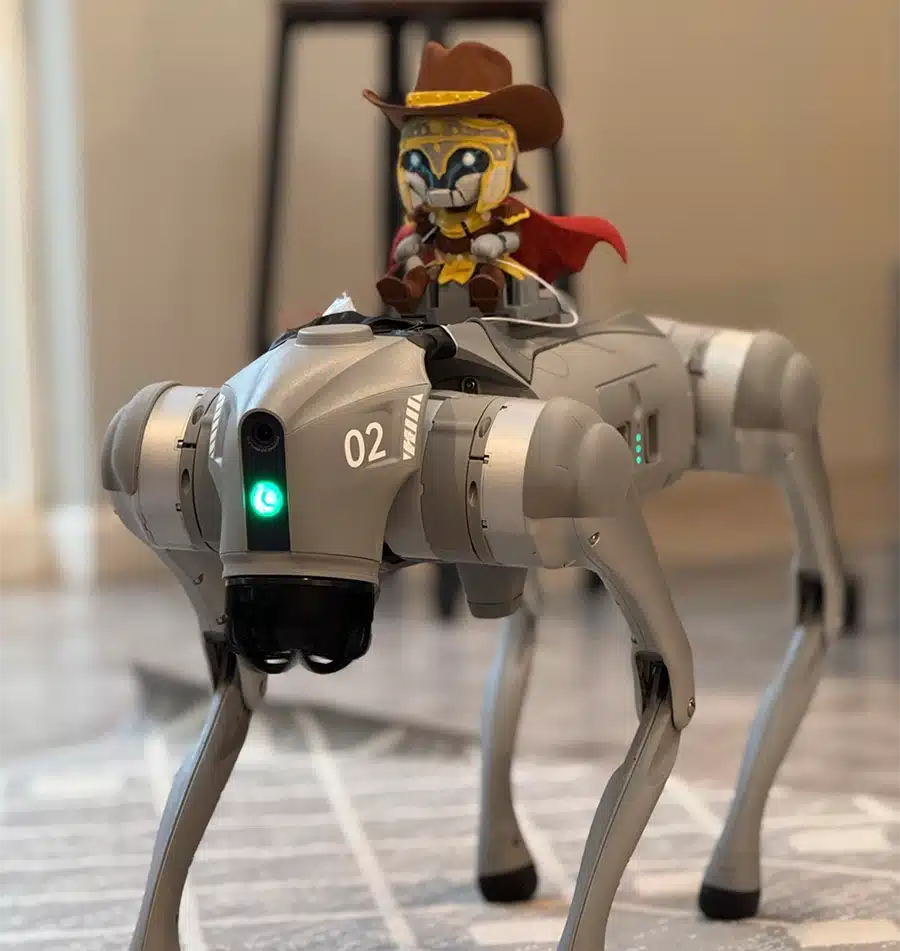
Introduction
Twenty thousand years ago, far before the idea of nursing human babies was even a twinkle in the Capitoline Wolf’s eyes, man domesticated the dog. As the two species entwined, dogs became something special to humans, representing companionship, eagerness, playfulness, joy, and loyalty. The two played to each other’s strengths: Dogs have the keen senses and guarding instincts to assist humans as needed. Humans have the treats to give the dogs.
Over time, the features of dogs changed to match the needs of humans. Some breeds of dogs would be better at retrieving. Some would be better at corralling herd animals. Still others would be long and short, allowing the ferreting out of badgers and other hole-loving critters, and inviting many comparisons to food items comprised of meat in intestinal casings. Dogs weren’t the only things changing. Man was slowly, and then rapidly, building up technologies to interact with and then master the world around them.
The idea of artificial life has entranced mankind forever. Pygmalion carved his wife from ivory and imbued within her the breath of life; Hephaestus built automatons to aid and defend his workshops and the Gods; Yan Shi created their mechanical human; Dr. Frankenstein and his Monster, reanimated from human flesh; and throughout the ages, kings and rulers of all sorts would have mechanical automatons within their palaces, no doubt to show their mastery over life.
Automatons of old tended to be gifted divine spark or fully mechanical. The former were given all the capabilities of mankind, as deigned by their gods. The latter, restricted to a limited sense of actions, and in many cases, have an inability to move. But mankind’s ultimate act of hubris — teaching sand to think — has led to the possibility of replicating actions based on the environment. Can we replicate the movement of the natural world? Can we replicate the sensing animals do, and change the actions these beings take? These days, many companies offer such robots. Even a single modern robot would cause kings to tremble at what future mankind hath wrought. Like the dogs of yore, it’s hard to know truly what a robot dog will do unless you are able to observe it. For a dog, this is careful observation over periods of time. For a robot dog though, we can actually see how they work as long as we reverse engineer them. And once we reverse engineer it, we can control it almost as effectively as treats can “control” a dog.
It’s time to domesticate the robot dogs.
Off-site Ramp Up
Praetorian’s IoT team recently met up for an off-site to strengthen bonds and see what shenanigans we could get up to. Usually when we meet up, weird devices such as vapes get hacked, so we decided to get ahead of the inevitable and show up with the weird devices to look at. We bought a Unitree Go2 Dog. These robotic canines straddle the line between industrial and consumer use-cases — although few can articulate the exact consumer uses. The team brought it and about 2.75 hardware labs worth of tools to the off-site and started cracking it open.
The team reached out to robotics security researcher Alex Bissell, who had recently released UnLeash-Lite, a method for gaining root on the dog once an AES key was obtained. Alex graciously provided an overview of the dog, likely attack paths, and validation that yes, our unit did in fact have a strange number of radios on it.
Weird Number of Radios?
An unexpected number of radios is not what you’d normally want to find in a device that the FCC recently (July 28th, 2026 in FCC Public Notice DA 26-786) said they would not provide any more authorizations for new robotic models. It was our understanding that the location module had been recently removed for sundry reasons, and we did not purchase the Pro version of the dog, so seeing a 4G LTE module with at least one antenna running from it was unexpected. We popped the RF shields off of it and the module next to it. The adjacent module had markings on the chips filed off and had an antenna going from it.
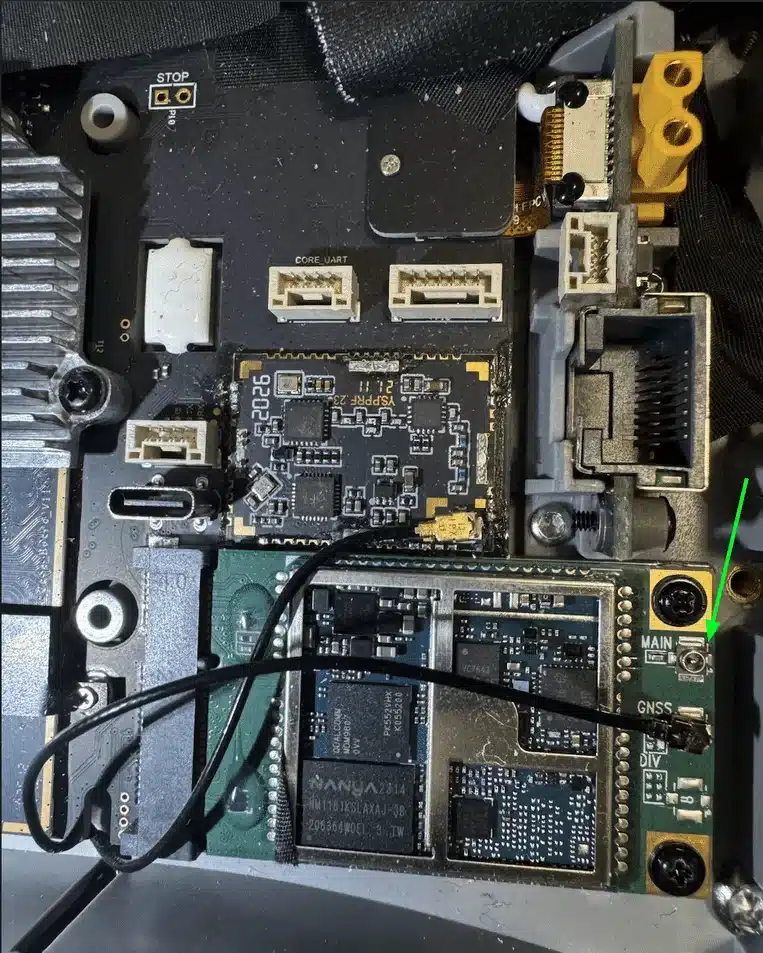
The good news is that on the cellular module, the green board in the picture above, the Main antenna on the right wasn’t connected, so there probably wasn’t an unexpected cellular connection. GNSS meant Global Navigation Satellite System, so this dog at least knew where it was. The green module suggested a potential for cellular connection, while only actively having positioning service. We later determined that the adjacent module with the filed-off markings was for a 2.4 GHz radio, almost certainly for the remote controller.
We also observed that there was a Bluetooth radio and a Wi-Fi radio. And FCC documents previously had references to an Ultra Wideband (UWB) radio for some sort of “follow me” remote controller.
The remote attack surface was of particular interest to us, so we kept these radios in mind.
Preparation
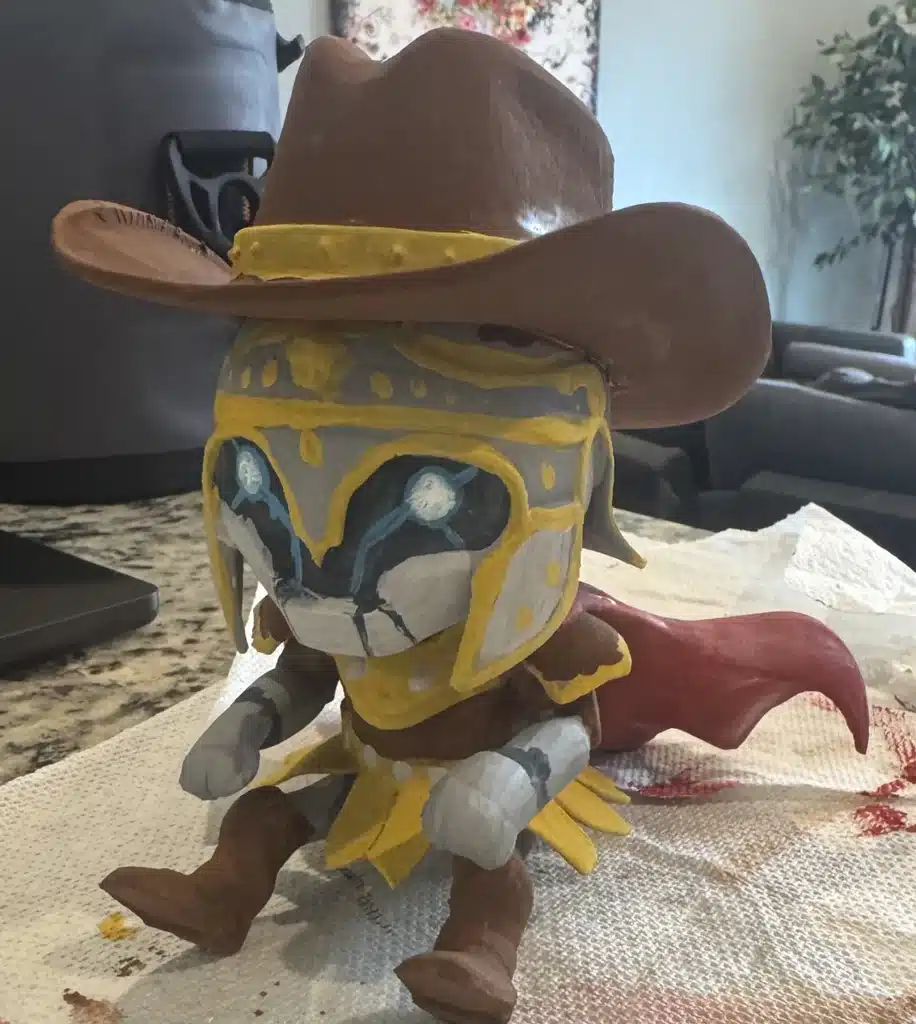
We wanted to capture as much as we could from the initial power on and pairing to the phone, so we spent most of the morning setting gear up, planning the order of operations, and perhaps most importantly, our colleague Garrett Freibott painted the Praetorian Guard mascot Unit-01. We were able to create a 3d model of the lil’ guy, 3d print him, and then attach him to a Unitree Go2 mount we also printed.
Rootin' Around
Following a morning of probing the Bluetooth, Wi-Fi, and Ethernet attack surfaces, we opted to use Alex’s UnLeash-Lite to root the dog. Shortly thereafter, we had copies of the firmware to share between ourselves to dig into for reverse engineering.
Our dog arrived with the 1.1.15 version of the firmware, which meant most jailbreaks required the “AES Key” to work. This was a gap fixed in recent revisions of the dog’s firmware, where previously things like the messaging system used was fully unencrypted and accessible over Ethernet. This could be obtained with a Unitree account, but one of our goals was to find a method that didn’t require the key. We focused our efforts on what we called “pre-auth” or “pre-key”: the attack surface available before the AES Key was known.
Reverse Engineering
btgatt-server crash
Our first major find was a crash in the btgatt-server binary that worked pre-key. The btgatt-server used message-level encryption to encrypt the data being sent back and forth, above and beyond what Bluetooth Low Energy provides. In the EVP_DecryptUpdate function of this process, there were two issues with length-validation:
- The outer parser did not verify that the declared nonce, tag, and ciphertext length fit inside the received GATT value.
- The attacker-controlled
ct_lenis passed toEVP_DecryptUpdatewithout checking the output buffer’s capacity.
We used our tool Caeruleus to assess this, sending in:
caeruleus write -b '<GO2_BLE_MAC>' -u 0000ffe2-0000-1000-8000-00805f9b34fb -n 0c41613041613141613241613300c8de -i hci0 --req -t 15From the root shell we had, we observed that the btgatt-server binary had crashed, and that a new one replaced it with a new PID. To turn this from a denial of service into a remote code execution we would need to find a way to get past the address space layout randomization (ASLR). Our efforts turned partially towards finding a way to leak the base address, but we felt other avenues than the Bluetooth route would be better for that. Eventually, this DoS would be instrumental to our work.
We then learned of Unibleed, which we thought was the same vulnerability. We were happy to have independently found the same exploit, but a bit sad it wasn’t novel.
USB-C First Attempts
The dog had a USB-C port, as all modern-day dogs do. Recently, we had a lot of luck using Great Scott Gadget’s Cynthion to fuzz targets on how they handled USB. One of the main features of it is Facedancer, which allows it to present itself as any arbitrary USB device. We primarily relied on the Facedancer firmware and gateware for our investigation.
We then audited the available attack surface. Which kernel modules would load for which USB devices being plugged in? Once we had a viable list here, we could begin emulating the USB device to see what would happen.
We found a promising CVE related to one of the entries in the list, and were able to fairly quickly cause the dog to collapse using this. But we had museums to see and food to eat, so we decided to look into this later.
FIQ
The dog has more than 13 JST-GH sockets to connect to, most of them helpfully labeled. A few were of special interesting: core_uart, G Tx Rx, USB, etc.
We didn’t have JST-GH cables on hand, but eventually we were able to make our own. The first boot with the homemade connector didn’t work. It seemed to be stuck in a loop somewhere, looping events about a debugger. After investigating this, we found that the Rx and Tx lines for the connector were unintentionally bridged, sending all data that went out from the dog immediately back into the dog.
Rockchip, who makes the processor in use by the Go2, has a debug method where when you type fiq into a console where the debugger takes priority, it’ll enter the kernel FIQ Debugger. The Go2’s main UART line is just such a console. This console is authenticated, so no free root-shell, but because this UART line is actually owned by the Rockchip debugger, whenever you type in fiq you get dropped into the debugger, even if you haven’t authenticated to the console yet.

This was discovered the same way many breakthroughs are: fully accidentally, as the dog’s boot log prints fiq as part of it’s boot log. When fed back into itself through a shorted out Tx->Rx wire, the dog got stuck in a loop, and we gained some useful knowledge.
The debugger provided a good amount of information, but most of the things that would leak base addresses or kernel memory did not work due to how the kernel was configured. Alas.
Radios?
Once on the dog, we were able to determine that no SIM card was configured for the cell module. That was reassuring. We were fairly certain the cell module didn’t have any communication capabilities, but it was still good to be certain.
The GNSS was active though, and we were able to get a precise position read. Tracing through calls of the dog’s MQTT service — one of the many sentences I never thought I’d write until this project — it seemed like some MQTT messages would be able to send this to Unitree. Good thing we removed all network access once we got it paired.
The Remote Controller
The Go2 has a remote controller it can use, so you don’t need to use the phone app to control it. The phone can even sit in the middle of the controller, so you can see out the dog’s camera and control it that way. This does require pairing the controller to the phone, and then to the dog, but once this is done the dog and controller talk directly.
We thought that the mysterious module we found must be for the remote controller, as there weren’t a lot of other radios it could be. FCC documents suggested that this was both 2.4 GHz and using LoRA modulation, an uncommon combination. Using a software-defined radio, we were able to get some faint chirps in the waterfall graph, but the noise of doing this in condo in a major city surrounded by nerds with way too many gadgets made it hard to get a lock in the SDR from a pure blackbox perspective.

But we were able to make enough progress to make this a viable path to investigate later.
End of On-Site
After a few short days, we had most of the dog reverse engineered, and quite a few viable paths to investigate later. We had seemingly re-discovered Unibleed, we could plug a USB device into the dog and cause it to flop down, as if it were some video game. We had learned what the ominous “Rage Mode” meant, and we learned what the far more sinister sounding Love action was. But we hadn’t yet achieved our goals.
We were not deterred.
Understanding The Dog
Above I had said we had most of the dog reverse engineered, which was true. But there were some that we hadn’t focused on yet, due to various protections in place such as obfuscation. The efforts following the on-site focused on these. If we could deobfuscate them, we’d be able to understand how they worked. Twelve binaries were obfuscated with Virbox Protect, including the ones that handled updates, the robotics, the main services, and WebRTC.
Broadly, the obfuscation had two parts: packing and their own virtual machine to execute byte code. Most of these binaries had unobfuscated sections, so they would technically decompile in a tool such as Ghidra, but nothing of note would be found. We built out harnesses that would allow us to run the binaries and access the unpacked code, and rebuilt the unpacked code as ELF binaries.
These rebuilt ELF binaries provided more stable references for handler tables, descriptors, bytecode bodies, etc. Cross-referencing the bytecode across binaries showed that some of it was shared between binaries in a library-like fashion, which helped us orient in each binary.
We then focused on figuring out the virtual machines, which involved emulating the original packed binaries and using the rebuilt binaries as a guide. After a few false starts and a few nights, we had most of the binaries documented. While it helped our mental model of how the dog worked, the main impact this had was letting us decrypt any OTA updates. Useful for more reverse engineering, certainly, but did not materially move us closer to our goals.
Remote Controller, Continued
The remote controller, R3-1 in our case, is a controller in the same vein as a mobile phone controller: you slide your phone in sideways and the app and the controller work together. We knew how the controller was paired to the dog: during the pairing process, you first connect the controller to the phone, and then the phone connects to the dog. You type in the 6 digit code printed on a sticker attached to the controller, and that code is transmitted to the dog over BLE. That strongly suggests that the code is used in some manner to encode or sign or as part of the radio signals sent from the controller.
Before we understood the message format though, we needed to determine the modulation and frequencies in use. FCC documents were inconsistent on exactly what it was, and with the main chip’s markers filed off, building up an understanding would take a while. After a lot of probing, we determined the module probably contains a Semtech SX128x chip, which strongly points to LoRa being used to some degree. But we also knew that it was operating at 2.4 GHz.
During later investigations, we generated some signals that ultimately caused the dog to stumble and collapse 10 to 30 seconds later, but they didn’t seem all that repeatable. We didn’t understand this at the time, but we’ll explain it in a follow up blog post.
Wi-Fi
There are a few networked ways to control the dog. One is over a cellular connection, if your dog is equipped with that. One is where the dog hosts its own access point. And one is where the dog is connected to a specified Wi-Fi network. The number of redundant methods of controlling the dog is quite impressive.
Fresh from the factory the dog starts in AP mode: It will broadcast a Wi-Fi network that devices can connect to in order to configure it. We did not test this surface, although it is promising. We spent a bit of time investigating how it worked in STA mode, where it was connected to a Wi-Fi network. This blog post won’t go into that research, but there will be a follow up.
The Paths Untrodden
Of all the external attack surface available to us, USB seemed like the most promising. We had a working primitive and it was the one we could most easily rapidly iterate on, thanks to the Cynthion. Bluetooth seemed hardened, from our quick searches. Wi-Fi and the remote controller were promising, but required a lot more work to get a stable baseline for research. USB was the right mix of rapid iteration and a good baseline to start from, so if our goal was to domesticate the dog, it was where our focus would best be used.
And domesticate the robot dog, we did. Introducing:
Fido Fidelis
Fido Fidelis is Praetorian’s pre-authentication / pre-key jailbreak of the Unitree Go2 dog. It has been proven to work on version 1.1.15 of the Go2. Other versions are likely to work as well, if base addresses can be provided. This was originally developed with the Cynthion, which allowed rapid prototyping. The current version runs on a single Raspberry Pi Pico or Pico 2. The process is simple:
- You flash the Pico with the firmware, selecting either the code execution proof (the default), a custom paylod, or the full rooting.
- You plug it into the Go2 with a USB-C to USB-Micro cable.
- You power the dog and you’ll have root before it stands.
Trust me, dog
During the IoT Team’s meetup, we found strong evidence that we could modify kernel memory and in some cases execute pre-existing code. At the time, we thought we were limited to kernel functions that had zero arguments. But we revisited this later on and found we could do quite a bit more.
CVE-2024-53104 is a vulnerability in how the Linux Kernel handles USB Video Class frames. From https://nvd.nist.gov/vuln/detail/cve-2024-53104:
In the Linux kernel, the following vulnerability has been resolved: media: uvcvideo: Skip parsing frames of type UVC_VS_UNDEFINED in uvc_parse_format This can lead to out of bounds writes since frames of this type were not taken into account when calculating the size of the frames buffer in uvc_parse_streaming.
This was a particularly useful CVE because the dog’s vision comes from a USB camera, meaning the module is already loaded. If we could configure the Cynthion / Facedancer to state it had the Video interface with the VideoControl subclass, we could then trigger this vulnerability. We configured the Facedancer to present the following descriptors to the dog:
bInterfaceClass = 0x0E;    //Video
bInterfaceSubClass = 0x01;    //VideoControl
When the Go2’s kernel reads those interfaces, it then is told to process additional interfaces, including VideoStreaming. While processing the VideoStreaming interface, we send two descriptors about how our imaginary video camera works.


The kernel uses the descriptor data in two passes: the allocation pass and the filling pass. The allocation pass reads in the data from these frames to decide how much memory to allocate.
While advertising what sort of frame rates and resolutions our imaginary camera has, the kernel reads our descriptors twice: once in an allocation pass, and once in a filling pass. The allocation pass has a switch-statement that doesn’t have a case-statement to handle descriptor subtype 0x00, so it doesn’t reserve any memory for it. The pass that fills the allocated memory doesn’t have an equivalent switch statement and instead loops for as long as the subtype matches the expected variable that a handler set. For FRAME_DV that variable is set to 0 since it isn’t meant to be used. But because 0x00 is a legal subtype, the descriptor we send in is seen as valid and the code treats it as a frame, past the end of the buffer the allocation pass created.
This means we can inject our fake frame and have it be processed. In the fake frame is byte 25: bFrameIntervalType. This tells the module how many more 4-byte values follow, up to 57. These all get written into memory, which is the treat we use to domesticate the dog.
We want to reach the next-free pointer inside an adjacent free object. SLUB, the kernel’s memory allocator that kmalloc() is built on top of, chains free objects together using a pointer in each. For this kernel version, next-free pointer is 128 bytes inside the 256 byte object. Using the exploit, we start 196 bytes into our own object. The next free object’s pointer is thus 188 bytes away.
We can fit that in one fake frame, but to increase reliability we send in a second fake frame that will also control the next next-free pointer, 444 bytes from the initial write.
Both of these objects point at the address of core_name_size: 0xffffffc011b82290.
Did we mention that the dog has Kernel Address Space Layout Randomization disabled? So that all the necessary addresses can be found through static analysis for a given kernel configuration, and we don’t need to find a way to leak kernel addresses? That’s pretty useful. What we’re releasing works on dog firmware v1.1.15. PRs welcome for more versions.
As part of this process, we had to modify the Cynthion firmware to allow us to fit more descriptors in. A buffer that is checked, with the comment in code saying to expand it later, limited us initially until we modified the firmware and flashed our version on it. But you won’t need a Cynthion for this.
Core Dump Primitive
What is core_name_size ? When a kernel decides to panic, it wants to dump its core. Organic dogs do this sometimes as well. But for the kernel, this code dump contains information to help prevent it in the future. And it needs to know how much it should write out about its panic. In this case, we don’t actually care about it. But it’s right next to core_pattern, which is very interesting. This controls what the name of the core dump is.
And, for whatever reason, core_pattern is passed into a shell. That’s useful.
But we’ve gotten ahead of ourselves. The overflow only helps us if the next object to ours is free. This means that we need to find a way to ensure the next object is free, and to do that we need a way of reading memory out. A kernel read primitive and a way to read the results out, preferably not over USB so as to not mess up our exploit chain, would let us then determine if the next object is free, and only deploy the rest of the exploit in that case.
Or we could just slam a bunch of fake interfaces into the device, using up objects in the free object list until we arrive at a number of fake interfaces that tends to result in the next object being free. Which is what we did. Fido Fidelis exposes 23 fake interfaces whose entire point is to get the actual armed buffer into a position that is most likely to work. It works on our dog.
What we’ve been talking about so far is actually interface number 26 (so the 27th interface). That’s where we do the buffer overflow. And there are 3 more interfaces to go!
The next two interfaces are what consume the primed free objects. These two interfaces are marked as VideoStreaming interfaces and their main purpose is to deploy the payload into the dog. They define an array as part of them that will have the correct byte layout to replace core_name_size and core_pattern in the kernel memory.
This technique of overwriting the core_pattern using a kernel buffer overflow ended up being extremely helpful in our quest to domesticate the dog.
In short:
- CVE-2024-53104 lets us control where the next allocation will land.
- The two video streaming interfaces use those allocations and the data in the interfaces to overwrite
core_name_sizeandcore_pattern.
To Succeed, You Must Wedge Your Dog
Great, we have made the kernel’s core_pattern be whatever we want. How do we actually use that?
Well, you turn on rage mode and start crashing stuff. Core dumps are emitted when a process crashes in a manner not handled by the process. We took stock of interfaces we had available to us.
- Root access
- We could cause a lot of crashes, but not very helpful in the quest to get root if we presuppose we have root.
- Wi-Fi
- By connecting to the Wi-Fi network
Check Future Blog Posts, we …
- By connecting to the Wi-Fi network
- USB
- The main connector is in use right now, but there’s probably a way to do it.
- Especially with 2-3 other JST-GH connectors labeled UART.
- UART
- There were enough UART connectors that this seemed plausible.
- Shorting random pins
- It might do something.
- Bluetooth
- We know we had a crash for this already.
Early on, we thought we had re-discovered the Unibleed vulnerability that would crash the btgatt-server on the dog. And it turns out, a crash is just the thing we need right now.
We have a dog. The moment it dumps a core our payload will execute. And we can remotely cause a crash using radio waves? Perfect.
Blue's Clues
We soon realized that this was not the same as the Unibleed vulnerability, like we had once thought. It has a very similar issue, but not the same. btgatt-server was used by the dog to handle all the Bluetooth Low Energy (BLE) interactions. BLE works by having the central component expose a server that has Characteristics. One of the characteristics for this server was 0xFFE2 (with handle 0x0012).
Let’s say the phone app connects to the dog (another sentence I never thought I’d say) over BLE. It will send data to that 0x0012 handle as part of operation. That handle will receive it and follow the code it was hooked up to, much like how an API endpoint works on a web server.
In this specific case, the binary’s write_cb (BlueZ’s write_callback) calls receive_manager, which processes the communication frame before any authentication. Because the communications have been hardened, it’s expecting application-level encryption in all but the initial BLE communication. So receive_manager then calls our EVP_DecryptUpdate, one of the OpenSSL functions. Before it does this though, it reads in the rest of the frame that it’s processing:
[nonce_len][nonce][tag_len][tag][cipher_len][cipher]It reads in the nonce_len and safely copies nonce into a buffer of that size. It then reads in tag_len and safely copies tag into a buffer of that size. It then reads in cipher_len and safely copies cipher into a buffer of that size. And then it makes a blunder. cipher_len is sent to EVP_DecryptUpdate as the output length.
The v1.1.15 build of btgatt-server uses something called a stack canary. The basic idea is that if a buffer overflows, it’ll trip over this canary, kill it, and the program will freak out because it knows trouble is afoot. receive_manager has a variable named decrypted_data and in this version it has the receive_manager‘s stack canary 104 bytes later. So if we send in a cipher_len greater than 104 it’s going to trip the canary. The stack frame will see that the canary value has changed and abort, causing a SIGABRT. And this happens before any authentication occurs!
So, by using Caeruleus to send in data that will write past the canary:
caeruleus write --req -b <robot-BLE-MAC> -i hci0 --by-uuid 0000ffe2-0000-1000-8000-00805f9b34fb --value 0c0102030405060708090a0b0c00c8deThat value breaks down as such:

We aren’t sending in any cipher text, so the rest is just filled in with junk data, but we don’t really care for our purposes: we just want to crash the binary.
We knew from before we could crash the binary, so we quickly re-confirmed that, saw it still crashed, and rejoiced.
Robot Dog, Domesticated
We now had two halves: a USB-based exploit to prime the dog to run our own code; and a BLE induced crash that should trigger the payload.
For the payload, we choose
|/bin/cp /etc/shadow /root/pwnedCopy a file only root has the ability to interact with, and save it to the home directory for root.
After instrumenting more logging than perhaps necessary, and after many failures working kinks out, we ran our combined exploit: our slightly modified Cynthion / Facedancer presented as a fake camera to prime the dog, caeruleus held a connection to BLE open, and once the priming finished it fired the payload to crash btgatt-server.
449:  336.47 cp=|/bin/cp /etc/shadow /root/pwned      ← core_pattern armed, watch loop polling
454:  HIT 336.57                                       ← BLE crash fired, coredump ran the pipe as root
455:  root:$6$qInOX9u3OpmOrYNN$iXa0RGliJYdqhaJ2540bvmbVqFuJVFEj.QbLlXecIQhBzAUaSSN8NCvXiJOKrvOf13z0ziMvYKVUIzJFXTcdI1:20727:0:99999:7:::
It’s unleash.
Success! By chaining these vulnerabilities together, we had achieved our own code execution on the dog. And because both the BLE portion and the USB portion were before any authentication as we defined it above, we had achieved our goals. To our knowledge, this was the first no-account jailbreak of the Unitree Go2 dog on version v1.1.15.
Is This Your Best and Final?
But good enough is not well enough. There was some clunkiness to this. You needed with a way to send in a Bluetooth command, and our caeruleus only supports x86 machines. This isn’t smooth. It isn’t packageable. At Praetorian, we always strive to do better. So let’s streamline this further.
I mentioned above how we used up many of 32 USB descriptors we had available to us, but many is not all, and not all means there’s room for more. We returned to our research on any CVEs in the Linux kernel for USB in the past few years. Causing a crash is remarkably easier than gaining code execution, so it seemed feasible that we could use one USB device, prime it by pretending to be a USB camera, kill the connection, pretend to be something else, cause a crash, and get root execution, as if we were some Trojan Dongle.
And even if we could do that, we were still reliant on a modified Cynthion for this to work. It’s a great device and has resulted in many High- or Critical- Severity findings for us, but it’s not as accessible as other devices. But the Raspberry Pi Pico and Pico 2 can also present as a fake USB, and that’s fairly accessible. We chose the Raspberry Pi Pico 2 (non-wireless) for this, mostly because it was the one I could reach without getting up from my desk.
In fairly short order, we converted the Cynthion exploit into running on the Pico 2. This was simple: plug the Pico 2 in, watch for the status LED to start going crazy like a dog at meal time, fire off caeruleus to crash the binary, and now your code executed. Great!
This was far more accessible, but not quite plug-and-play. We wanted to find a way to crash the dog from the Pico.
Our initial USB CVE research dug up an oddity: OSS-Fuzz 52270. This wasn’t a CVE, but it was fixed as part of Google’s OSS-Fuzz initiative. This was fixed in the upstream kernel, but seems to not have been ported down to some of the distros. It affected an obscure filesystem called Oracle Cluster File System (Oracle CFS). It’s been dead since 2005, when OCFS2 was released, and the module isn’t in the kernel. It’s not clear if it ever was. However, there’s a parser that still checks for it: blkid‘s libblkid.
libblkid has a function named probe_ocfs in libblkid/src/superblocks/ocfs.c. When the kernel sees a USB mass storage device plugged in, it runs blkid (as a worker of systemd-udevd, so it’ll cause a good crash) to identify it.
The probe function has this in it:
blkid_probe_set_label(pr, (unsigned char *) ovl.label, ocfslabellen(ovl));and the ocfslabellen reads straight from the definitely real OCFS disk and what it says the length is. Eventually this length is passed into calloc(len + 1), then memcpy‘d into a 64 byte buffer in probe_ocfs. Except the length for the memcpy was read from the disk we are pretending to be, and we chose 65535 bytes.
Because it was written in 2002, well before cybersecurity existed, the check in probe_ocfs doesn’t do a bounds check. And because no one has used it in 24 years, it wasn’t caught and fixed until 2022. And because no one used it, it never received a CVE, so it was never backported to other distributions.
And because it tells the probe that the label’s length is 65 KB, the probe keeps reading past the stack’s mapping, causing a crash.

The OCFS requires a minimum size disk before it’s considered real, which is far larger than what the Pico 2 has available. To get around this, we do a bit of stage magic and dynamically generate the storage space as it’s being read. The filler is all zeros, but a neat trick nonetheless. It’s trickery all the way down.
Fido Fidelis Finalis
Latin was never my strong suit, but finding neat exploits is.
We now have a single Raspberry Pi Pico 2 that will:
- Pretend to be a USB camera.
- Get the free object list in an exploitable state.
- Present fake configuration data that makes the next free object pointer point at
core_name_size. - Present more interfaces that allocates memory from the free object list, giving us
core_name_size. - Overwrites
core_patternwith our payload.
- Close the fake USB camera.
- Pretend to be an OCFS device.
- Exploit an over-read in the way
blkidprobes for a long-dead filesystem format. - Crash a worker thread, causing a core dump.
- Exploit an over-read in the way
- Domesticates the Unitree Go2 Dog.
Fido Fidelis runs on the Raspberry Pi Pico 2 and Raspberry Pi Pico.
You can build it as-is and it will work on the 1.1.15 version of a Unitree Go2. We have a mechanism for people to generate profiles for other firmware versions, if they have access to those. In theory this should allow it to work on older versions we well, but as is we are relying on the lack of KASLR for this some addresses are hardcoded.
By default, Fido Fidelis will create a file at /unitree/var/adata/fido-fidelis-root.txt. There is an untested payload to actually root the dog provided, based heavily on how robotics security researcher Alex Bissell’s Unleash-Lite works.
The way you use this is simple:
- Flash the firmware on to your Pico or Pico 2.
- Plug it in while the dog is powered off.
- Power the dog on.
- Wait.
- The payload detonates.
We strongly recommend that you put the dog’s stand underneath it after it stands, in case it decides to fall down.
Here’s a demonstration. The payload in this gif will cause the dog’s front LED to switch from green and cycle through the rainbow. Unfortunately, the video and subsequent GIF compression washes out the colors. The dog doesn’t normally cycle through the rainbow, so this works as a demonstration.
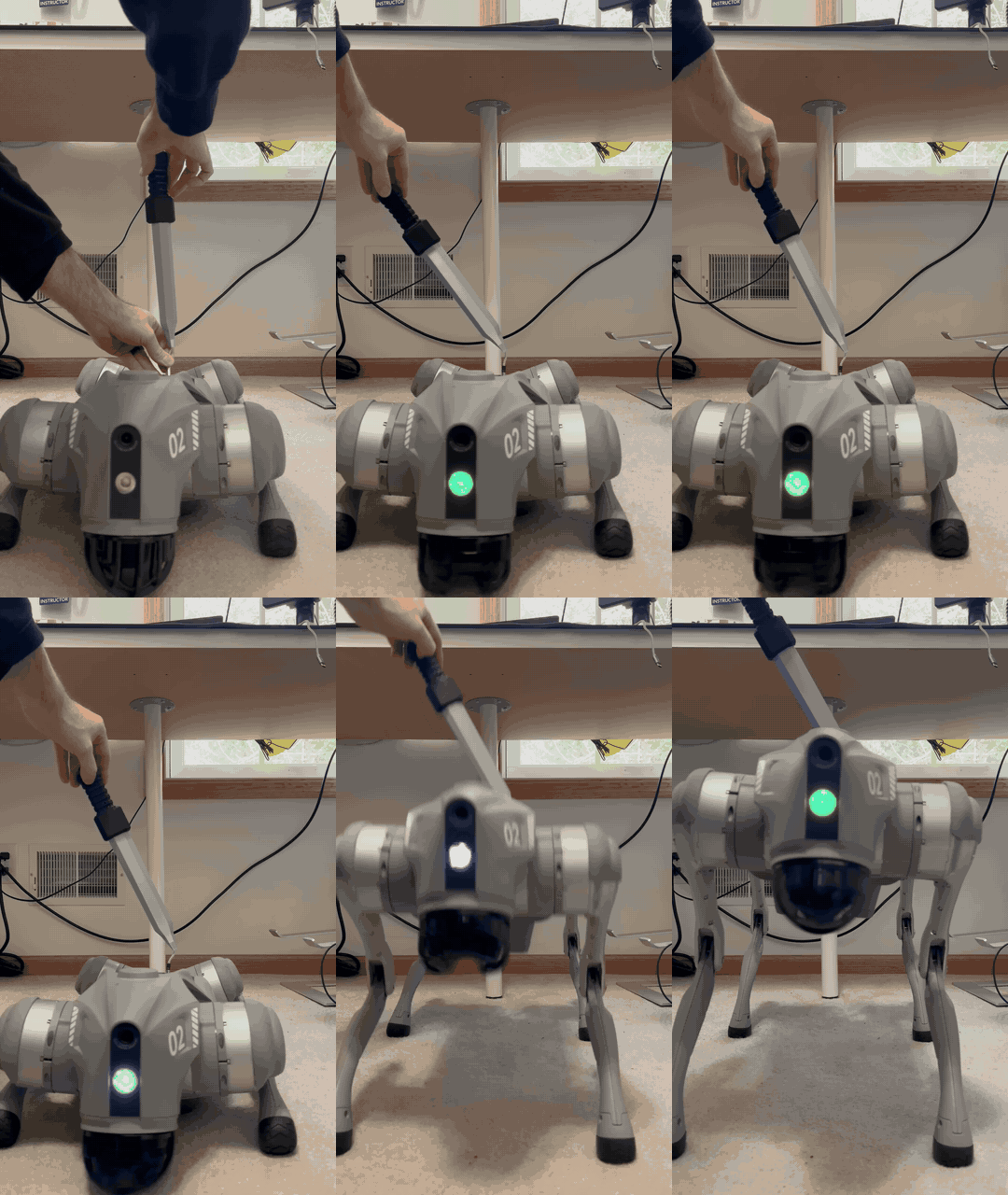
We stab the robot dog with our Praetorian Gladius (with enclosed Pico 2) and once it full boots you can see the front LED change from green to a couple (very washed out) other colors. This version uses a pre-staged script that will execute a rainbow LED pattern on the front LED, which doesn’t video very well. The payload is just the execution of this script.
Thanks
This research wouldn’t have been possible without the help from the following individuals:
- The Praetorian IoT Team
- Aaron Wasserman for the Bluetooth LE reverse engineering and writing Caeruleus.
- Joshua Mack for much of the filesystem reverse engineering and the initial pairing work.
- Ryan Hennessee for the binary exploitation help, hash cracking prowess, reviewing of this blog post, and getting Unit 01 to stick to the mount.
- Garrett Freibott for painting Unit 01 and the initial triage of many potential findings.
- Praetorian’s Siddhant Kalgutkar for the expert help in reverse engineering and binary exploitation.
- Robot security researcher Alex Bissell for helping us get our bearings and test out the exploits on different dogs.
Recap
We achieved our primary goal in finding a pre-authentication way to execute code and root the dog, chaining vulnerabilities that have been fixed for 2+ years and just never updated on the dog. We are releasing Fido Fidelis for other researchers to gain root.
We have a few follow-up posts planned, covering the remote controller communications and our Wi-Fi research.
Do you have your own robot dog (or cat) you want assessed as part of a point-in-time assessment? Reach out to the Praetorian team and let’s talk. Looking to secure the cloud side of your robot? Our Praetorian Guard platform can help with that too, finding gaps before miscreants do.
Got a robot dog (or cat) you want assessed?
Our loT team tears down connected devices like the Unitree Go2 every day. Tell us what you're building and we'll find the bugs before someone else does.
Book a Guard demo